
Last updated: August 2026
An interactive PDF is a downloadable document enhanced with clickable links, video, and animation, while interactive web content is a browser-based experience (like a web publication) built with HTML. The key difference is performance: web-based content is trackable page-by-page, mobile-responsive, and indexable by search engines, while interactive PDFs are static files that can't scale across devices or capture detailed engagement data.
For B2B marketing teams, that difference decides more than layout. It decides what you can measure, who can find your content, and how your sales team follows up.
Here's the Foleon point of view: the real cost of an interactive PDF isn't design quality, it's the data blind spot. A well-designed PDF can look every bit as good as a web page. But once it leaves your server, you have no way to see which sections drove engagement or which readers turned into pipeline. Every PDF asset is a black box. A web publication is a measurable channel.
That doesn't make PDFs useless. It makes them the wrong default for content you distribute externally and expect to generate demand.
Interactive PDF vs. Interactive Web Content: Key Differences
Interactive PDFs and interactive web content differ across seven dimensions that matter to marketers: analytics, mobile responsiveness, SEO, personalization, load time, accessibility, and post-publish updates. PDFs are fixed-layout files optimized for portability and print. Web publications are live HTML experiences optimized for distribution, measurement, and discovery.
| Criteria | Interactive PDF | Web Publication / Interactive Web Content |
|---|---|---|
| Analytics & page-level tracking | Limited. Download counts and gated form fills only. No reliable page-by-page or click-level data once the file is shared. | Full page-level and click-level tracking, session duration, scroll depth, and CTA performance, integrated with marketing automation and CRM. |
| Mobile responsiveness | Fixed layout. Renders the same on every screen, which means pinch-and-zoom on phones. | Responsive by default. Content reflows to fit any screen size. |
| SEO indexability | Partially indexable. Limited metadata, weak title and heading structure, no structured data support. | Fully indexable standalone pages with title tags, meta descriptions, headings, alt text, and schema markup. |
| Personalization capability | None after export. Personalizing requires generating a separate file per segment. | Dynamic. Content, CTAs, and forms can adapt to segment, campaign source, or known contact data. |
| Load time / file size | Design-heavy PDFs frequently run 10-50 MB, and the reader waits for the entire file before seeing page one. | Loads progressively in the browser. Images and video stream as needed. |
| Accessibility (screen readers, alt text) | Possible with tagged PDF workflows, but tagging is manual and often skipped. | Built on HTML semantics. Alt text, heading hierarchy, and keyboard navigation are native to the format. |
| Ease of updating content post-publish | Requires re-exporting and redistributing the file. Older copies stay in circulation forever. | Edit and republish at one URL. Everyone with the link sees the current version. |
Two gaps stand out. The first is measurement: a PDF tells you someone downloaded it, not whether they read past page three. The second is versioning: a PDF you emailed in March is still the version a prospect forwards to their CFO in August, pricing errors and all.
If you're weighing formats more broadly, it's worth understanding web publications vs. websites before you decide where a given asset should live.
Why Do Interactive PDFs Struggle with Tracking and Analytics?
Interactive PDFs struggle with tracking because a PDF is a file, not a page. Once it's downloaded, forwarded, or opened offline, it stops reporting back. Marketers get a download count and whatever the gating form captured. They don't get scroll depth, time on section, video plays, or which chapter a buying committee actually read.
That gap has consequences beyond reporting. Consider a 40-page industry report. With a web publication, you can see that 68% of readers stopped at the pricing methodology section and that the ones who reached the case study converted at three times the rate. With a PDF, you see 400 downloads and nothing else.
Sales feels it too. A rep following up on a PDF download knows only that someone gave you an email address. A rep following up on a web publication can see which product section the prospect returned to twice.
According to Content Marketing Institute (2023), interactive, trackable content formats generate significantly higher engagement and lead-qualification data than static downloadable assets. That second half matters most. The lead-qualification data is the point. The format you choose determines whether your content produces intent signals or just impressions.
The Content Marketing Institute's ongoing B2B research has documented a steady shift away from static, downloadable assets toward interactive formats that report back on reader behavior. [INSERT: specific CMI figure on percentage of B2B marketers using interactive content formats, with year]
There's a workaround camp that says you can embed tracking pixels or unique links in a PDF. You can, partially. But pixel tracking in PDFs is inconsistent across readers, blocked by default in many enterprise environments, and gives you a fraction of what standard web analytics provides out of the box.
Do Interactive PDFs Work Well on Mobile?
Interactive PDFs do not work well on mobile. A PDF has a fixed layout, so a page designed for a 1920-pixel-wide desktop screen renders at the same proportions on a phone. The reader has to pinch, zoom, and pan horizontally to read body copy. Web publications reflow automatically, so text, images, and navigation adapt to the screen.
This is not a minor usability complaint. According to Gartner (2023), B2B buyers now consume the majority of vendor content on mobile devices before ever speaking to sales. That means your most influential touchpoints often happen on a phone, during a commute or between meetings, long before a rep is involved.
Forrester (2023) found that content that is unreadable or hard to navigate on mobile is abandoned within seconds by B2B buyers. Seconds. Not minutes. If your buyer's guide requires two fingers and a squint, the design quality of page 12 is irrelevant.
The PDF workaround is to design mobile-first at a narrow page size, but then the asset looks cramped on desktop and unusable in print. Fixed layout forces you to pick one screen and hope. Responsive HTML doesn't.
Are Interactive PDFs Good for SEO?
Interactive PDFs are weak for SEO. Google can crawl and index PDF files, but PDFs lack the metadata, title tags, heading structure, and structured data that help search engines interpret and rank content. They also sit outside your site architecture, so internal links pointing into them rarely build meaningful topical authority.
Per Google Search Central (2024), search engines cannot reliably index or rank PDF content without proper metadata and title tags, limiting organic discoverability compared to standard web pages. The Google Search Central team's documentation is explicit that HTML pages give crawlers far more signal to work with, and that PDF indexing depends on properties most authoring tools don't set by default.
Practical differences you'll notice:
- Titles. A PDF's title in search results is often the filename (
Q3-report-FINAL-v4.pdf) unless you manually set document properties. - Meta descriptions. PDFs don't support them, so Google generates a snippet from whatever text it can extract.
- Structured data. No schema markup means no rich results, no FAQ snippets, no article eligibility.
- Link equity. Links inside a PDF pass authority inconsistently and aren't treated the same as standard site navigation.
- Canonical control. The same PDF hosted on three subdomains creates three competing URLs with no clean canonical signal.
- Analytics attribution. PDF sessions don't flow into your site's engagement metrics, so search performance data is incomplete.
A web publication, by contrast, is a standalone indexable page. It can target a keyword directly, carry proper heading hierarchy, link out to related B2B content types, and accumulate authority over time. A gated PDF earns you nothing organically. A web publication can keep earning traffic for years.
When Do Interactive PDFs Still Make Sense?
Interactive PDFs still make sense when a fixed layout is a requirement rather than a limitation. Offline distribution, print-ready materials, regulated or archived documents, and internal reports all benefit from a self-contained file that renders identically everywhere and doesn't depend on a live connection.
Specific cases where a PDF is the right call:
- Compliance and legal documents. Contracts, disclosures, and filings often require a fixed, immutable format with a defined page count.
- Print production. If the asset is going to a printer or being handed out at an event, PDF is the native format.
- Offline access. Field sales, trade shows with poor connectivity, and airplane reading all favor a downloadable file.
- Archival records. Board decks, annual reports, and audit trails benefit from a version frozen in time.
- Attachments to formal correspondence. Some enterprise procurement processes still expect a file, not a link.
There's also a hybrid path many teams take: publish the primary experience as a web publication, and offer a PDF export for readers who explicitly want one. That way the tracking, SEO, and mobile experience live on the web version, and the file exists for the narrow cases that need it.
Why Are B2B Marketers Shifting to Web-Based Content Experiences?
B2B marketers are shifting to web-based content because it does things a file physically cannot: personalize by segment, capture leads mid-scroll, update instantly, and feed engagement data straight into CRM. A content experience built in the browser is a two-way channel. A PDF is a one-way handoff.
The practical advantages compound:
- Progressive gating. Show the first three sections, then ask for an email. A PDF is all-or-nothing at the download.
- In-context CTAs. Place a demo request next to the section a reader spends the most time on.
- Real-time updates. Fix a stat, swap a logo, or update pricing without redistributing anything.
- Segment-level personalization. Serve a healthcare version and a financial services version from the same source content.
- Sales enablement. Reps get a notification when a prospect revisits the ROI section, which is a far better trigger than a download timestamp.
Foleon's own comparison of PDF assets against equivalent web publications shows a measurable engagement difference. [INSERT: Foleon data point on engagement lift of web publications vs. equivalent PDF assets, including metric and time period]
The teams that make this shift successfully tend to treat it as a workflow change, not a design change. That means auditing which assets genuinely need to be files, then rebuilding the rest with tools to scale content creation so the design team isn't rebuilding every asset from scratch. Once the format is live and measurable, the content engagement tactics you apply actually have data behind them.
Interactive PDF vs. Web Content FAQ
What is an interactive PDF used for?
An interactive PDF is used for documents that need clickable navigation, embedded video, or form fields while remaining a portable, self-contained file. Common uses include product catalogs, event programs, print-adjacent brochures, and compliance documents. It's most appropriate when the reader needs offline access or when a fixed page layout is a requirement.
Is an interactive PDF the same as a web publication?
No. An interactive PDF is a downloadable file with a fixed layout, while a web publication is a browser-based HTML experience with its own URL. The web publication is responsive, indexable by search engines, and trackable page by page. The PDF is portable and printable but static once exported.
Can Google index interactive PDFs?
Google can crawl and index PDF files, but with significant limitations. Per Google Search Central (2024), PDFs often lack the metadata and title tags search engines need to rank content reliably, so organic discoverability is weaker than for standard HTML pages. PDFs also can't carry structured data or meta descriptions.
Do interactive PDFs work well on mobile devices?
Not well. PDFs use a fixed layout that doesn't reflow for smaller screens, forcing readers to pinch and zoom. Since Gartner (2023) reports that B2B buyers consume the majority of vendor content on mobile before speaking to sales, a desktop-sized PDF creates friction at the exact moment buyers are researching.
How do I track engagement on a PDF versus a web page?
With a PDF, you can typically track downloads and gated form submissions, and little else once the file is shared. With a web page or web publication, you can track page-level views, scroll depth, time on section, video plays, and CTA clicks, and push that data into your marketing automation platform and CRM.
What's a good alternative to interactive PDFs for marketing content?
The most common alternative is a web publication built on a content experience platform, which delivers the polished design of a PDF as a responsive, trackable web experience. Foleon is one option in this category. The right choice depends on whether your team needs design control, integrations, or template-driven scale.
Which Format Should You Choose?
Choose interactive web content for anything you distribute externally to drive demand: reports, buyer's guides, magazines, case study collections, and product catalogs. Choose an interactive PDF when the asset must be printed, archived, read offline, or delivered as a fixed-layout compliance document.
The decision comes down to a single question: does this asset need to be measured, found, and updated? If yes, publish it to the web. If it just needs to exist as a portable file, a PDF is fine and always has been.
For most B2B marketing teams, the audit is simpler than expected. Take your ten most-distributed assets, and ask how many actually require a file. Usually it's one or two. The rest are running as black boxes for no reason other than habit.
Meet Foleon
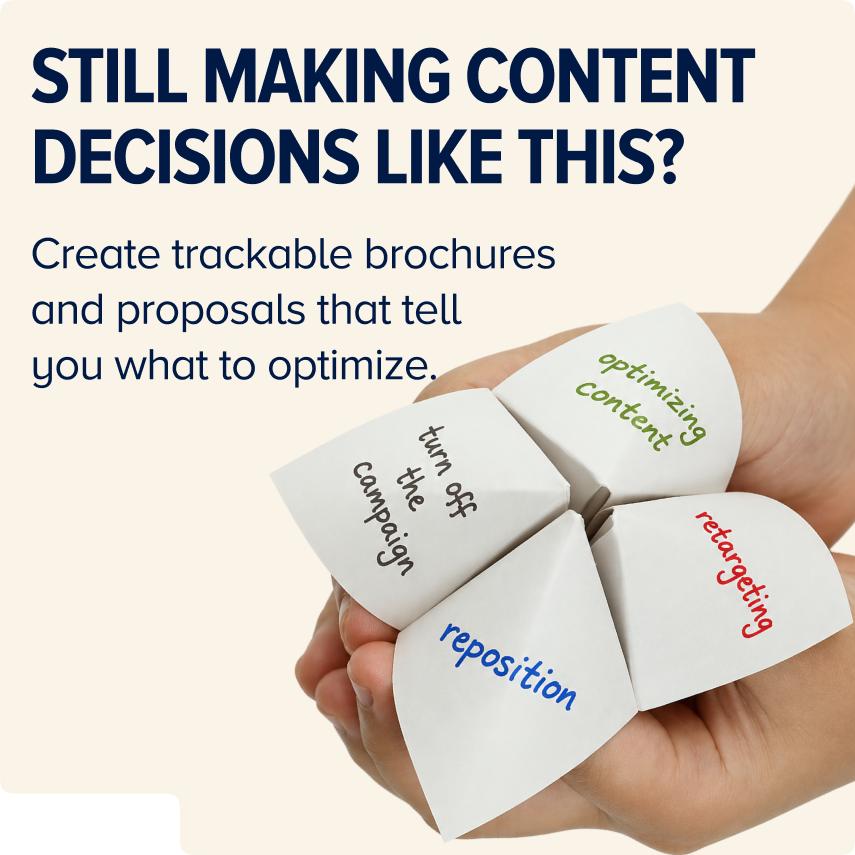
Unlike PDFs, Foleon Docs unlock insights about your audience, individual contacts, and content performance.

Sean is a B2B content strategist specialized in streamlining customer journeys, creating sales and marketing alignment, and producing personalized content experiences that resonate with modern buyers. LinkedIn profile
Want to write for the Foleon blog? Here's how to submit a guest post.