![foleon_logo_white.png]](https://www.foleon.com/hs-fs/hubfs/foleon_logo_white.png?height=40&name=foleon_logo_white.png)
What happened
A recent issue affected a number of comments in Review Mode. The issue has been resolved, but the original position for some comments could not be recovered.
Specifically, the connection between a comment and the exact element or position where it was placed was lost. The comment content itself (the message, author, and thread) was not lost. We were able to determine which block each comment belongs to, so affected comments are still visible, just no longer anchored to their original location.
What you'll see
In Review Mode, comments normally appear as a numbered blue circle attached to a specific element on the page.
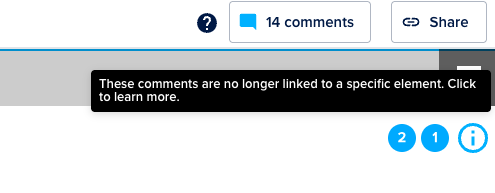
For affected comments, the numbered circle is still visible, but it is no longer connected to the specific element or placement where it was first left. Instead, you'll see those comments displayed at the block level, grouped in the top right corner of the block where the original comment was made.
Unaffected and new comments continue to work exactly as expected.
What this means for your work
-
The original position of affected comments cannot be restored. This is a permanent limitation for the specific comments impacted by this issue.
-
The comment content is fully preserved. You can still read, reply to, and resolve affected comments from within the block.
-
No new comments are affected. Comments left after the issue was resolved behave normally.
💡 If you have questions about a specific Doc or comment thread, contact our support team and include the Doc name and URL.