![foleon_logo_white.png]](https://www.foleon.com/hs-fs/hubfs/foleon_logo_white.png?height=40&name=foleon_logo_white.png)
Microsoft Power BI is a powerful business analytics service that provides interactive visualizations and business intelligence capabilities with an interface simple enough for end users to create their own reports and dashboards. It allows you to connect to various data sources and turn unrelated data into coherent, visually immersive, and interactive insights.
Our native Foleon data elements let you quickly display data in your Doc. However, sometimes you may want to use a live Power BI dashboard to showcase real-time data or complex reports directly within your content.
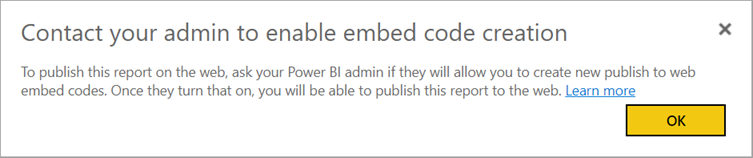
⚠️ Your Power BI administrator must enable the Publish to web tenant setting. If you're an administrator, see Enable Publish to web as an administrator.
In this article
What to do in Power BI
Before you can add your data to Foleon, you need to generate an embed code from your Power BI service.
- Open the report you wish to use in the Power BI service.
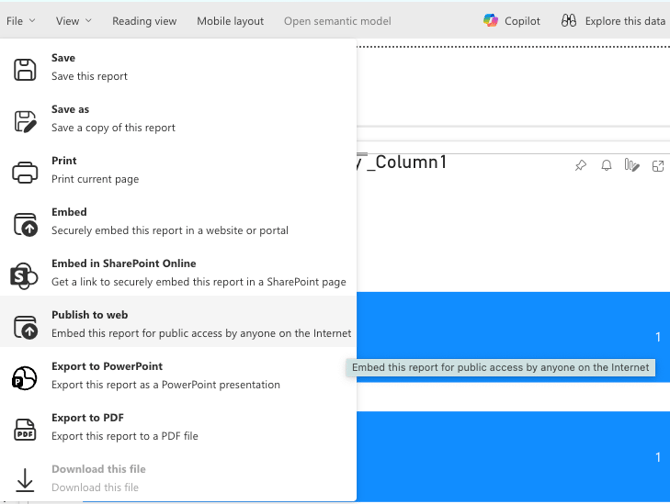
- In the top menu, select File > Publish to web
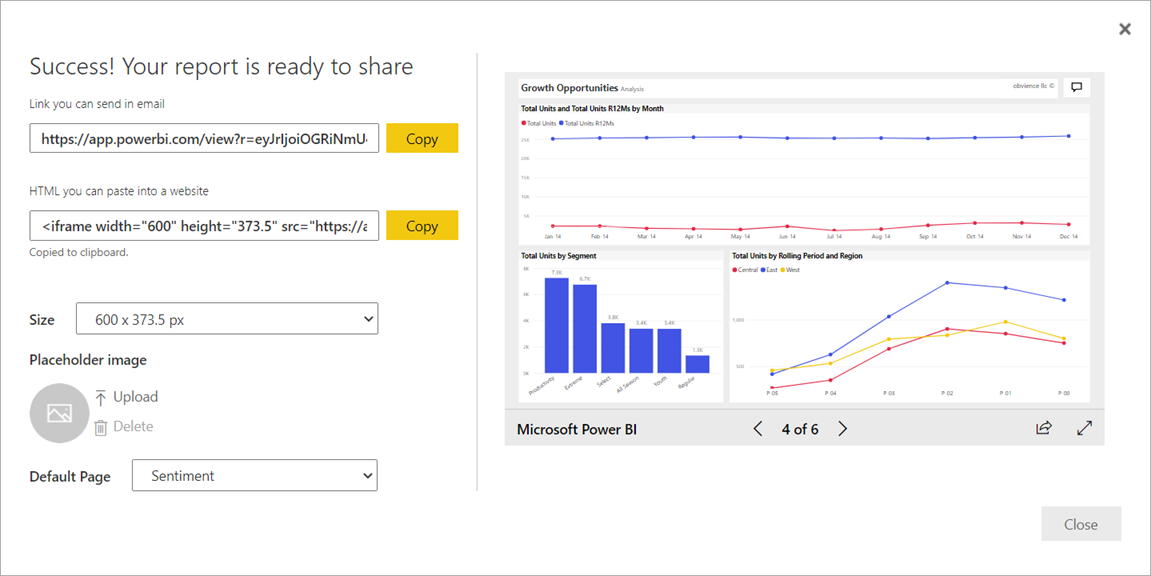
- A dialog box will appear. Copy the value under "HTML you can paste into a website" (the iframe code).
💡 If you want the report to be public without requiring a login, you can use the Publish to web (public) option instead. However, keep in mind that this makes the data accessible to anyone with the link.
Using the Embed element
Once you have your iframe code, you can add it to your Foleon Doc using the Embed element.
-
In the Foleon editor, open the elements bar on the left.
-
Drag the embed element and drop it onto your page.
-
A modal will pop up. Paste the iframe code you copied from Power BI into the field.
-
Click Save.
Your Power BI dashboard is now live in your Doc! You can test the interactivity in the Preview mode.
Restrictions and authentication
If your Power BI admin hasn't allowed you to create embed codes, you may need to contact them.