![foleon_logo_white.png]](https://www.foleon.com/hs-fs/hubfs/foleon_logo_white.png?height=40&name=foleon_logo_white.png)
💡 Looking for more flexibility? Custom Roles let you create tailored roles with permissions that match your team's needs. Learn more about Custom Roles.
💡 Are you on our Scale plan? See the Scale plan user role privileges article.
⚠️ Depending on your plan, you have access to different user roles. If you want to upgrade your plan to improve governance with additional user roles, contact us.
User roles and seat types
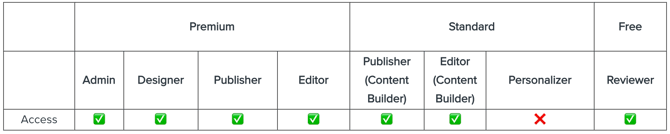
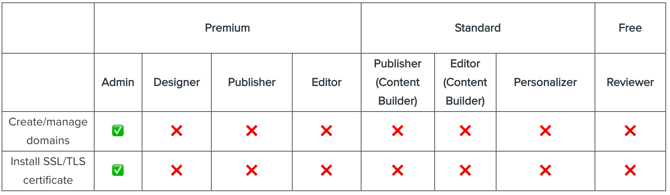
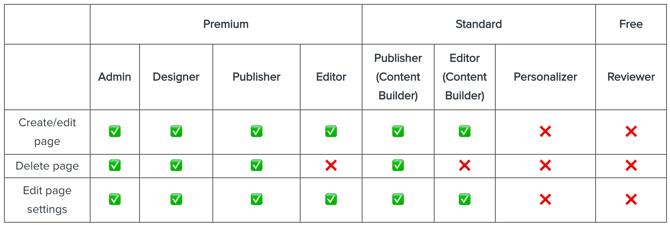
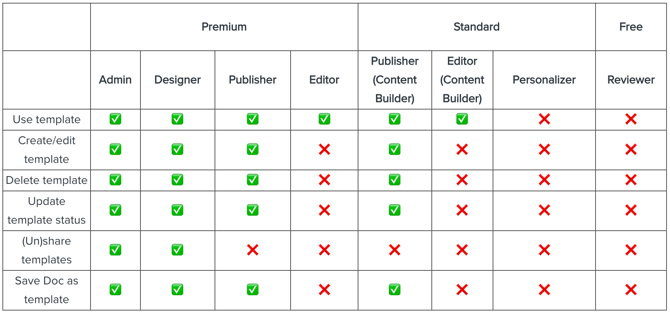
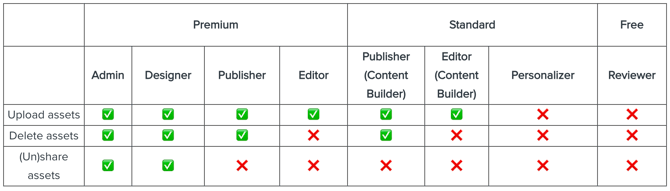
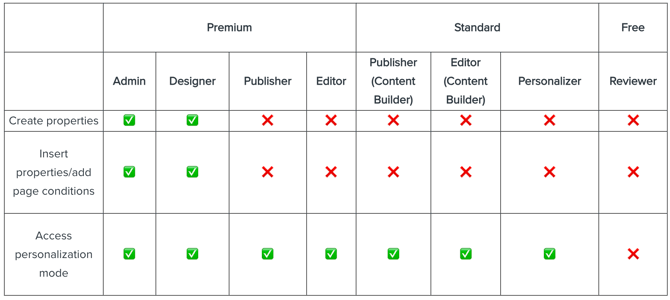
We have three different user seat types that contain eight user roles:
- Premium
- Admin
- Designer
- Publisher
- Editor
- Standard
- Publisher (Content Builder)
- Editor (Content Builder)
- Personalizer
- Free
- Reviewer
Content creation
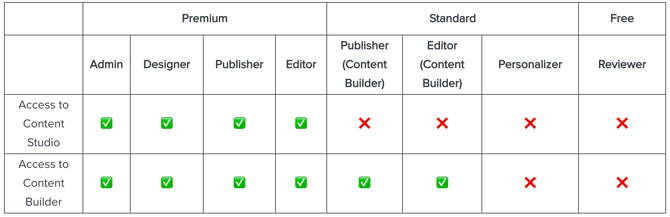
⚠️ Depending on your plan, you're working with the Content Builder, Content Studio, or both. If you want to explore the possibilities, contact your Customer Success Manager or success@foleon.com. If your account holds the older user roles Publisher (legacy) or Editor (legacy), you won't have access to the Content Builder.
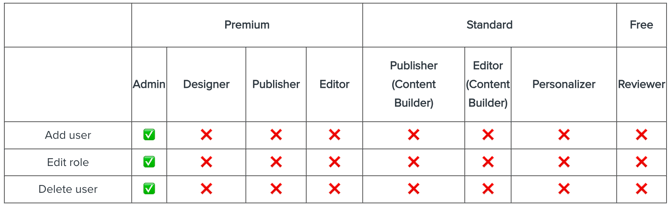
User management
Workspaces
The ability to switch between workspaces depends on if you're a user in the main workspace or in a regular workspace. Learn more in our article Scale content creation with workspaces.
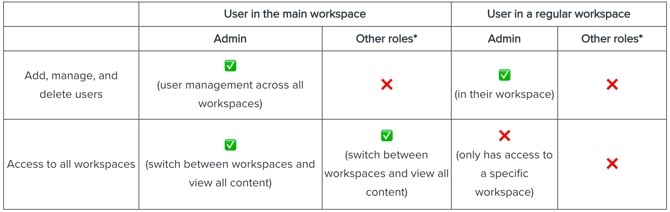
*Other roles are users working as a designer, publisher, editor, or reviewer.
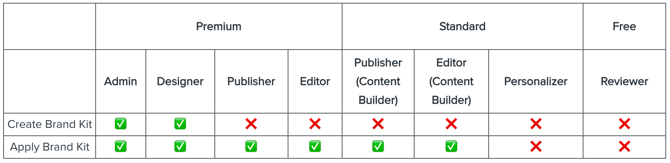
Brand Kit
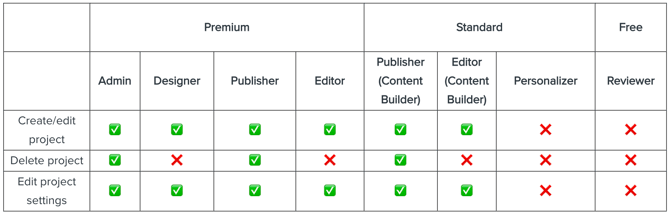
Projects
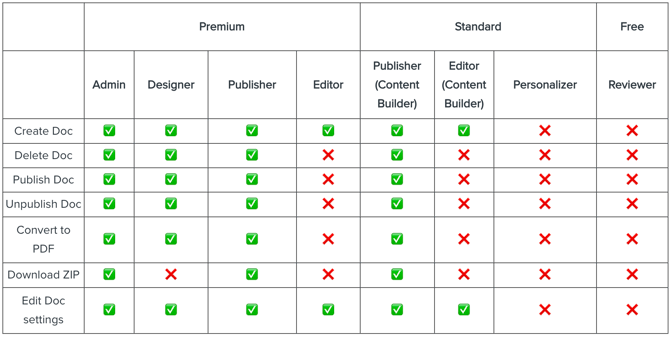
Foleon Docs
Pages
Canvas
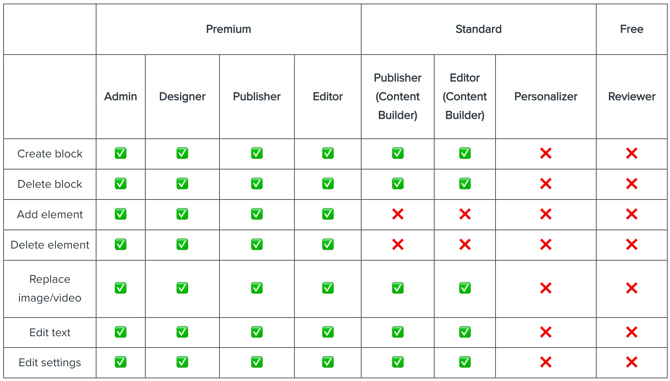
💡Depending on your plan, you're working with the Content Builder, Content Studio, or both. If a user has one of the older user roles Publisher (legacy) or Editor (legacy), they won't have access to the Content Builder.
Templates
Brand
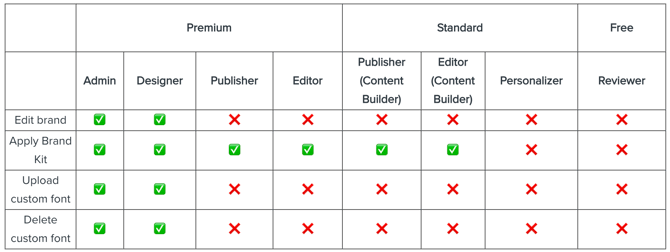
💡If a user has one of the older user roles, Publisher (legacy) or Editor (legacy), they work in the Content Studio and can edit the brand settings.
Media library
Foleon Analytics

Review Mode