![foleon_logo_white.png]](https://www.foleon.com/hs-fs/hubfs/foleon_logo_white.png?height=40&name=foleon_logo_white.png)
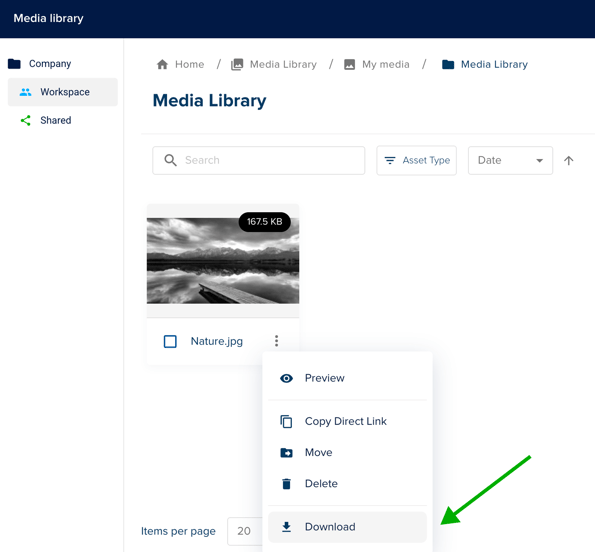
This article shows you how to download an image from the Media Library.
💡 Want to learn more? Check out our article All about the Media Library.
In the Media Library, select the Quick Actions menu, click the three dots (⋮) in the bottom right corner of the image thumbnail.
In this panel, click on the Download.