![foleon_logo_white.png]](https://www.foleon.com/hs-fs/hubfs/foleon_logo_white.png?height=40&name=foleon_logo_white.png)
In this article
🎥 In the video below, we show you how to use brand governance settings to help you control where brand assets can be created.
How to configure your brand governance settings
Admins and designers with access to the Brand Console can manage these settings under Brand Console > Settings.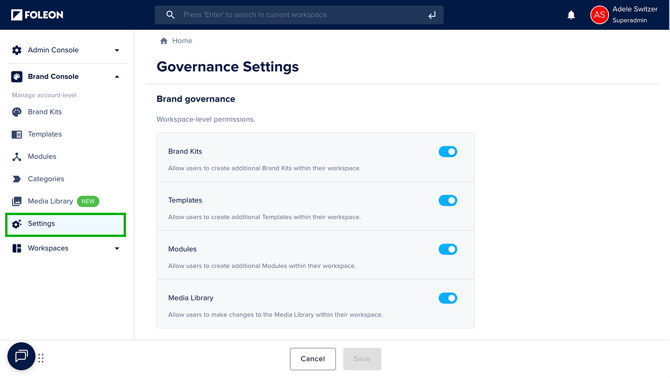
For each asset type, turn the toggle on or off:
- 🎨 Brand Kits:
Turn the toggle ON to allow workspaces users to create their own Brand Kits.
Turn the toggle OFF to restrict Brand Kit creation to only the Brand Console - 📃 Templates:
Turn the toggle ON to allow workspaces users to create their own Templates.
Turn the toggle OFF to restrict template creation to only the Brand Console. - 🔁 Modules:
Turn the toggle ON to allow workspaces users to create their own Modules.
Turn the toggle OFF to restrict module creation to only the Brand Console. - 🖼️ Media Library:
Turn the toggle ON to allow workspace users to add media to their Media Library
Turn the toggle OFF to restrict Media Library management to only the Brand Console. Workspace users can only use media that has been shared with them from the Brand Console. They cannot upload new media to their workspace.
💡 In the next section, we guide you on when to toggle these settings on or off.
Click Save to apply your changes.
Centralized vs. Decentralized Control
Brand governance settings let you choose between a centralized, decentralized, or hybrid approach. The best choice depends on how much control you want over asset creation, how quickly your teams need to work, and how important local customization is to your brand strategy.
Centralized control
In a centralized approach to governance, you maintain tight control over branding and settings. This is especially helpful when a brand manager or central design team oversees assets and settings across all workspaces.
➡️ For more centralized control, turn the toggle OFF for each asset type.
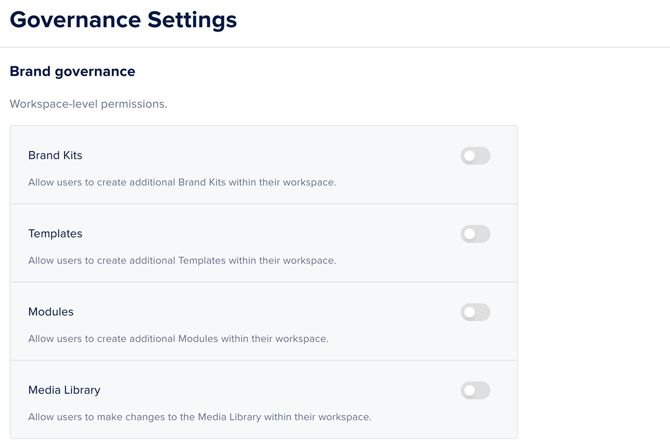
This will ensure that:
-
Brand kits, templates, modules, and media can only be created/managed by designated admins or designers from the Brand Console.
-
Each asset can then be assigned to one, multiple, or all workspaces for use.
✨ Example:
A financial services company with strict compliance requirements limits all asset creation to the Brand Console. This way, the compliance team reviews all templates and brand kits before making them available to regional workspaces.
Decentralized control
In a decentralized approach to governance, each workspace has more flexibility to manage its own setup. This is ideal for organizations with independent business units, regional teams, or sub-brands that have their own designer and need more autonomy.
➡️ For more decentralized control, turn the toggle ON for each asset type.
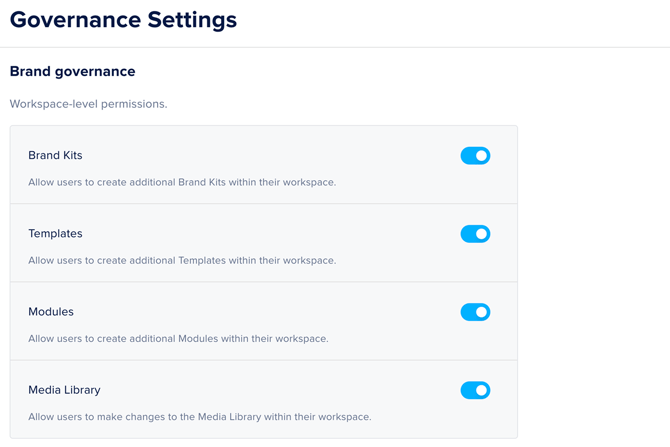
This will ensure that:
-
Brand kits, templates, modules, and media can be created/managed at both the workspace and Brand Console levels.
-
Assets created in each workspace will be available for use only in that workspace.
-
Centralized assets can still be created in the Brand Console and assigned to relevant workspaces.
✨ Example:
A consumer goods company with multiple sub-brands lets each workspace create and manage all its own brand assets, as each workspace has its own design team.
Hybrid model
You can also choose to allow some assets to be created at the workspace level, while others are created in the Brand Console.
➡️ For a hybrid control model, adjust the toggles for each asset type.
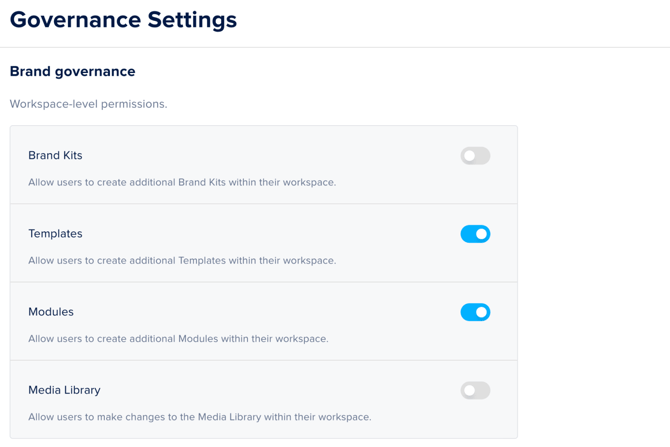
For example:
-
Keep brand kits centralized for strict control over colors, fonts, and logos (toggled off).
-
Allow templates to be created in workspaces for faster campaign rollouts (toggled on).
-
Let modules be both centralized and local, depending on the type of content (toggled on).
- Restrict media creation to only the Brand Console so all content creators use pre-approved images and videos (toggled off)
Example of a hybrid governance model:
A global law firm keeps brand kits and media centralized to ensure consistent use of logos, fonts, colors, and images across all offices, but allows each regional workspace to create its own templates and modules for local events, client updates, and marketing campaigns.